Google News Links is a plugin that allows the user to specify a Google news feed (rss) and then loads them into WordPress as links. The links can be loaded by manually running the plugin or setting it up on a cron.
Download Google News Links
To setup:
- Click Settings
- Click Google News Links
- Enter the link to the rss feed
- Select your category
- Click update

To populate manually, click “Populate Google News Links” under the settings menu.
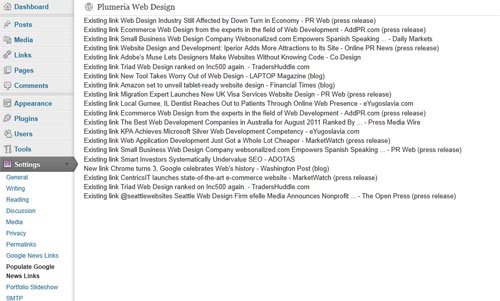


Either install via your FTP software or by using the built in WordPress plugin installer to upload and activate the plugin.
Hi
I’ve got a google newsfeed entered:
http://news.google.com/news/section?pz=1&cf=all&ned=us&hl=en&csid=125a40c8224e7d35&ict=ln
but when I populate all I get is errors:
Warning: simplexml_load_file() [function.simplexml-load-file]: http://news.google.com/news/section?pz=1&cf=all&ned=us&hl=en&csid=125a40c8224e7d35&ict=ln:1: parser error : EntityRef: expecting ‘;’ in /home/content/35/8972035/html/wp-content/plugins/google-news-links/index.php on line 92
Warning: simplexml_load_file() [function.simplexml-load-file]: “alternate” type=”application/rss+xml” href=”http://news.google.com/news?pz=1&cf in /home/content/35/8972035/html/wp-content/plugins/google-news-links/index.php on line 92
Any suggestions?
Thanks so much
Hi Sam, make sure you’re using a google news feed. I think the link you’re using is incorrect.
To get the correct link, go to Google, search for your topic, click news, and then scroll to the bottom and copy the link from the RSS link at the bottom of the page.
Yes thanks I had the wrong reference page. The plug in is working now. It seems to be updating itself without me having to manually run the program, and there’s a bunch of duplicate listings. Is there any way to filter the listings so there aren’t so many? Even links I delete keep returning. Its a nice tool but a its providing too many links that are off topic.
Hi Sam, I need to look and see. It’s not supposed to accept duplicate links into the system. Will let you know!
Will this plugin work with the latest Google updates? I have a Google Reader plugin on my website right now but it stopped working in the fall when Google+ premiered.
Thanks!
I’ll have to look into the updates to verify if it will. There are currently some bugs that need to be worked out with the plugin as it is. I will be pushing out changes soon.